
ข้ามไปยังเนื้อหา
  • 10% off your first order with code WELCOME10
  • Free US shipping on qualifying orders · see your cart
  • 30-day returns on unused items
  • Damaged or wrong item? We send a free return label
  • Tracking emailed as soon as your order ships
  • Refunds within 10 business days of an approved return
  • Questions? support@9spacex.com, we reply within a day
คู่มือวิธีทำ

Where to put your monitor: height, distance and tilt

At least 20 inches away, top line at or below eye level, and a tilt that keeps ceiling lights off the screen. Then a riser or an arm to hold it there.

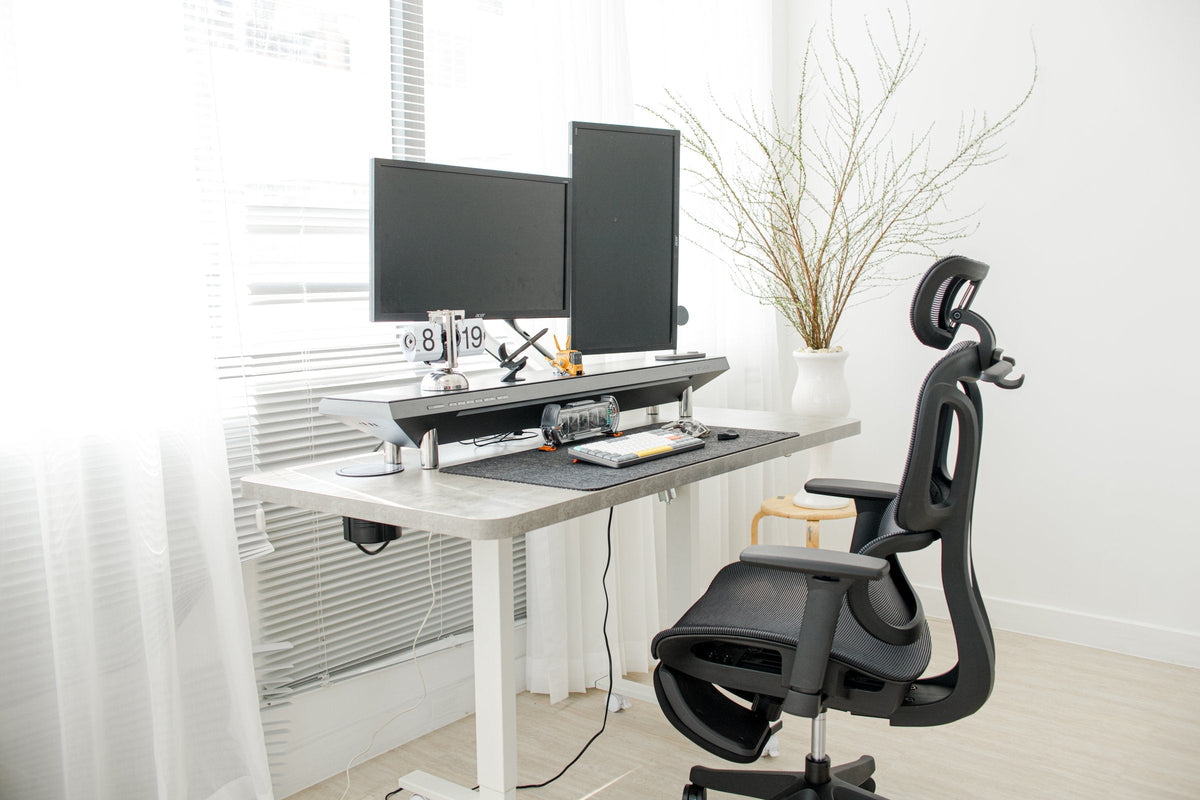
White standing desk with dual monitors, a desk shelf and an ergonomic black mesh chair

สิ่งที่ต้องใช้

Distance

OSHA's computer workstation guide puts the monitor directly in front of you and at least 20 inches away. It calls 20 to 40 inches (50 to 100 cm) the preferred viewing distance. Screens set too close make your eyes work harder to focus.

Height

Place the monitor so the top line of the screen is at or slightly below eye level. The centre of the screen should normally sit 15 to 20 degrees below horizontal eye level. A screen set too high tilts your head and neck back.

If you wear bifocals, OSHA suggests going lower than that and tilting the screen up toward you, so you are not tipping your head back to read through the bottom of your lenses.

Tilt and glare

Tilt the screen so it faces your line of sight. A screen tilted well back picks up glare from overhead lights, so if you see a ceiling lamp reflected on it, reduce the tilt before you move anything else.

Holding it there

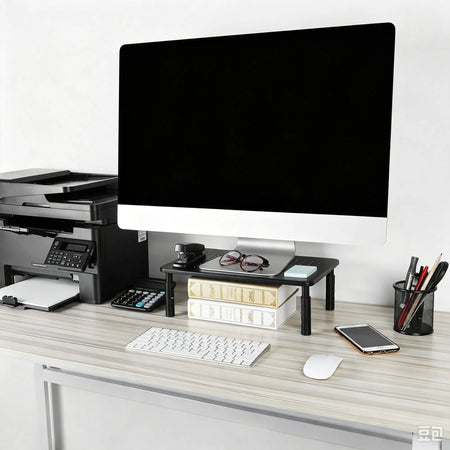
A riser lifts a screen in fixed steps. Our 3-level metal mesh riser sets 10, 12 or 14 cm and leaves room underneath for a keyboard or notebooks.

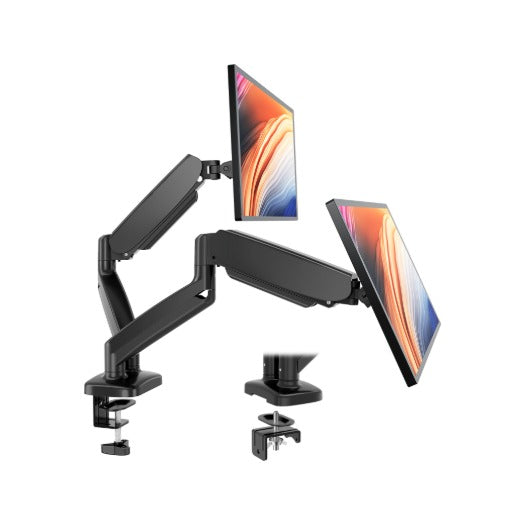
An arm moves freely. Our dual gas spring arm holds two 13 to 32 inch screens, tilts from -45° to +90°, swivels 180° and rotates 360°, and clamps to a desk 0.39 to 3.15 inches thick. Both ship from a US warehouse.

Wood standing desk with a monitor arm, light bar, pegboard and mechanical keyboard

ทีละขั้นตอน

  1. Sit back

    Sit in your normal working position, feet flat and back against the chair.

  2. Set the distance

    Put the screen directly in front of you, 20 to 40 inches away.

  3. Set the height

    Raise or lower it until the top line of the screen is at or slightly below eye level.

    3-Level Adjustable Metal Mesh Monitor Riser Stand · 1,542 ฿
  4. Check for glare

    Look for ceiling lights reflected on the screen and reduce the tilt if you see them.

แหล่งที่มา

อ่านต่อ

เรื่องอื่นจากบล็อก 9spaceX

หน้าบล็อก

ตะกร้าของคุณ

ยังไม่มีสินค้า

ตัวเลือกการจัดส่งและเวลาจัดส่งขึ้นอยู่กับคำสั่งซื้อและที่อยู่ของคุณ คุณจะเห็นก่อนชำระเงิน

เลือกซื้อสินค้าพร้อมส่ง · ส่งสัปดาห์นี้

พรีออเดอร์ทำงานอย่างไร

ชำระเต็มจำนวนวันนี้ คืนเงินเต็มจำนวนหากเราจัดส่งไม่ได้

  1. ชำระตอนนี้ ชำระเต็มจำนวนวันนี้ ไม่มีการเรียกเก็บเพิ่มภายหลัง

  2. ยกเลิกฟรีจนกว่าจะเริ่มผลิต ยกเลิกได้ทุกเมื่อก่อนเริ่มผลิตและได้เงินคืนเต็มจำนวน

  3. ช่วงเวลาจัดส่ง พรีออเดอร์แต่ละรายการแสดงช่วงจัดส่งในตะกร้า และคุณจะได้เลขติดตามในวันที่สินค้าออกเดินทาง

หากเราจัดส่งไม่ได้ เงินของคุณจะคืนเข้าบัตรโดยตรง ไม่ใช่เครดิตร้านค้า และไม่ต้องร้องขอ